Show Figbook on

An audiobook player for technical books

Listen to the book. See the figure.

Audiobooks of technical books keep saying “as the figure shows”. Figbook shows it: each diagram appears on your screen the moment the narrator gets to it.

Coming soon to iPhone and Mac · Free · Android and Linux next

Figbook on iPhone: Figure 2-1, a diagram of what travels inside a figbook, is on screen while the narration plays.
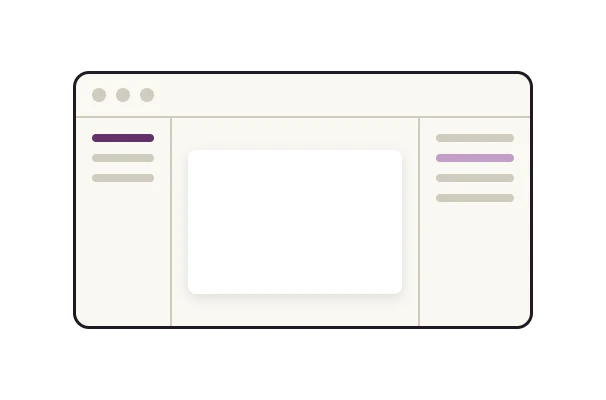
Figbook on Mac: the sections of the chapter on the left, Figure 2-1 in the middle of the window and the words being read on the right.
Show Figbook on

The figure arrives right on cue.

Keep your phone in your pocket and just listen. When a diagram matters, glance down: it is already there.

Keep Figbook open beside your work and just listen. When a diagram matters, it is already in the middle of the window.

  1. 01

    You listen.

    With no figure to show, the screen follows the sentence being read.

    The player with no figure on stage, showing the section title and the sentence being read.
  2. 02

    The figure takes the stage.

    “As Figure 2-1 shows…” and there it is, with a gentle tap to let you know.

    The player with Figure 2-1 on stage as the narrator mentions it.
  3. 03

    Look closer, keep listening.

    Pinch to zoom into any diagram. The narration never stops.

    Figure 2-1 zoomed to fill the screen, figure 1 of 9.
  1. 01

    You listen.

    Sections on the left, the words on the right, scrolling with the voice.

  2. 02

    The figure takes the stage.

    “As Figure 2-1 shows…” and it lands in the middle of the window.

  3. 03

    Press F to focus.

    The figure fills the window. Esc brings the panes back; the narration never stops.

Figbook on Mac with no figure on stage: the sections on the left, the sentence being read in the middle and the words on the right. Figbook on Mac with Figure 2-1 in the middle of the window as the narrator mentions it. Figbook on Mac in focus mode: Figure 2-1 fills the window, with the sentence being read below it.

Private by design

Your books never leave your device.

Figbook never asks who you are and never phones home. Your books, your place in them and your notes stay on your device, and nowhere else.

  • No account
  • No ads
  • No tracking
  • Works offline

On Mac, Figbook runs in Apple’s sandbox with no permission to use the network.

Read the privacy policy

Simple on the surface. Deep when you study.

The player shows the figure and the controls you need. Everything else is one tap away.

  • Read along

    The text scrolls with the voice. Tap any line to jump there.

  • Notes at the sentence

    One tap saves the moment, the figure and your thought.

  • Your pace

    Speed from 0.8× to 2×, a sleep timer, and repeat for the hard parts.

  • At your desk, too

    On Mac, figure, sections and text sit side by side. Keyboard shortcuts included.

Launch

Coming soon.

Figbook is in its final round of testing on iPhone and Mac. It will be free, for good: no account, no ads.

  • iPhoneOn the App Store
    Coming soon
  • MacStraight from here, or the Mac App Store
    Coming soon
  • Android and LinuxSame app, same format
    Later

For the curious

A file anyone can make.

A .figbook is a plain zip: the narration, the book’s figures and a small manifest that says when each figure is discussed. Publishers, authors and tools can produce it.

Publishing technical books?

Let’s talk about shipping them as figbooks.

hello@figbook.app
{
  "format": "figbook",
  "version": 1,
  "title": "Ch. 2 — What travels inside a figbook",
  "album": "The Figbook Format",
  "audio": "audio.m4b",
  "chapters": [ … ],
  "segments": [
    …
    {
      "id": "s-0142",
      "kind": "figure",
      "start": 1367.2,
      "end": 1374.9,
      "text": "As Figure 2-1 shows, everything …",
      "image": "images/fig-2-1.png"
    },
    …
  ]
}